July 14, 2017

The Best Hashtags for Outdoors Lovers


While there is nothing I love more than disconnecting in nature, I also love photographing our outdoor adventures. And, sharing those photos on social media

Photography and the outdoors have always gone hand in hand, and if you love both, Instagram is the place to be. Its easy to get lost for hours scrolling through the thousands (maybe even millions) of shared photos of our incredible natural world.

The Best Hashtags for Outdoors Lovers

Love 'em or hate 'em, as a blogger and social influencer, hashtags are extremely important. Whether you're a lifestyle blogger, fashion and beauty blogger, mommy blogger or any niche in between, hashtags play an important role in growing your online community and influence.

Hashtags are also the key to getting those beautiful outdoors photos seen in that sea of millions. 

The hashtags you select must be carefully curated in order to maximize visibility before it gets buried by the next big adventure.

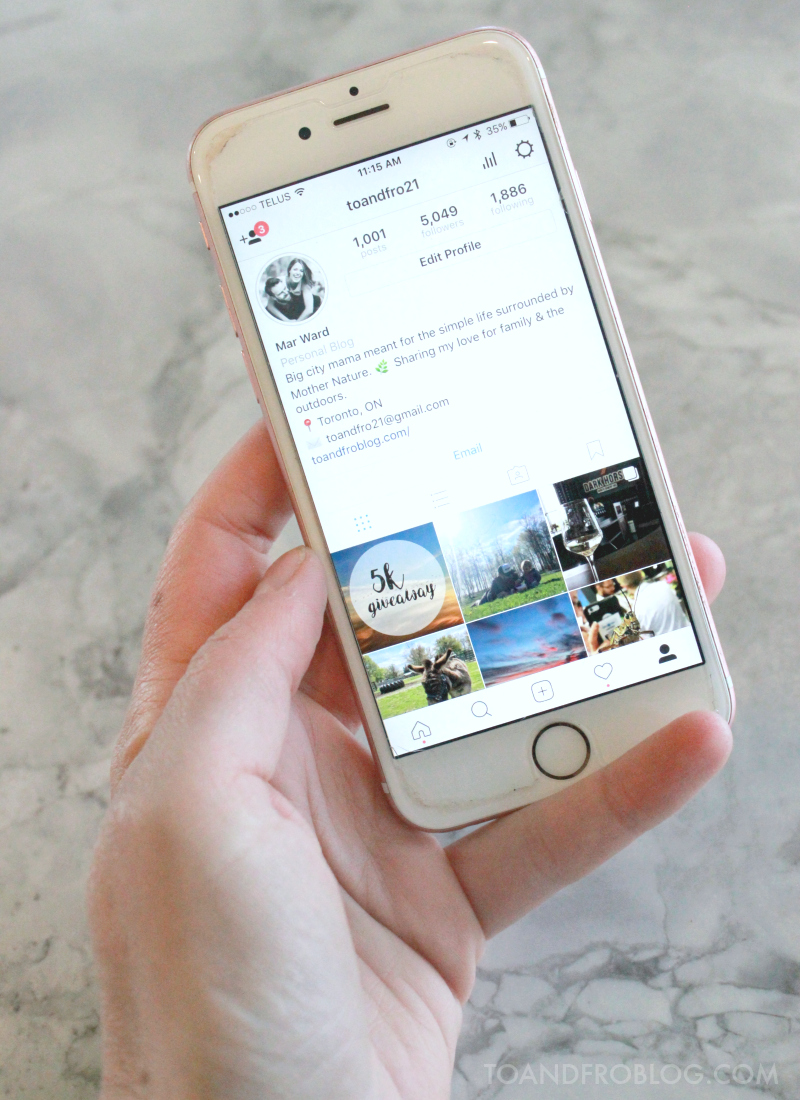
New to hashtags? I recently shared this post about the importance of utilizing hashtags on Instagram, including the 30 best hashtags for mommy bloggers. If you're new to the hashtag game, you'll want to start here

The Best Hashtags for Outdoors Lovers

For outdoors lovers, the number of relevant hashtags is endless. 

Need a little help to get started? Below is a list of the most popular nature-, adventure- and outdoor-related hashtags, as well as some of my favourites. Copy and paste this list into the notes section of your computer or phone. Add or subtract hashtags relevant to the photo subject, and watch your engagement grow. 

Please be warned, exploring the photos associated with these hashtags may spark a serious case of wanderlust and the need for adventure. Or, they maybe inspire you to seek out some seriously beautiful new outdoor spaces and travel destinations. Enjoy!


Top 30 Instagram Hashtags for Outdoors Lovers


#freshair30
#getoutside
#getoutdoors
#nature
#keepitwild
#lovelifeoutside
#staywild
#naturelovers
#natureseekers
#outdoors
#outdoorslover
#neverstopexploring
#REI1440project
#optoutside
#getoutstayout
#mothernature
#lovetheoutdoors
#wildandfree
#adventure
#wildernessculture
#outdoorslife
#goodtimesoutside
#wearestillwild
#outdooradventurephotos
#simplyadventure
#wanderlust
#exploremore
#goexplore
#stayandwander
#adventurecalling

Other Hashtags to Use


If you have kids, be sure to include children-related hashtags.


For example:
#canadianoutdoorfamilies
#wildkids
#wildchild
#letthembelittle
#curiouslittleexplorers
#naturechild
#raiseawildchild
#wildandfreechildren
#raisingkidswild
#naturekids
#outdoorkids
#childhoodunplugged
#adventureparenting


Tag your location. 


For example:
#TorontoIslands
#Ontario


Bonus to tagging the location - there is a chance you may get a regram!

Tag your activity. 


For example:
#hiking
#camping
#swimming
#kayaking
#fishing


Use hashtags relevant to what is being shown in the photo. 


For example:
#lake
#ocean
#sunset
#sunrise
#picnic
#forest

The Best Hashtags for Outdoors Lovers

Bottom line - hashtags are important. If you don't use them, the only people that will see your content will be your followers, and maybe your mom. 

Check out To & Fro's Instagram to see how I effectively utilize hashtags to increase engagement and influence. 


What are your favourite hashtags? Any tips or tricks? I'd love to hear!


SHARE:

May 15, 2017

The Best Mommy Blogger Hashtags


Love 'em or hate 'em, as a blogger and social influencer, hashtags are extremely important. Whether you're a lifestyle blogger, fashion and beauty blogger, mommy blogger or any niche in between, hashtags play an important role in growing your online community and influence.

The Best Mommy Blogger Hashtags for Growing Your Instagram

Many people have reservations about the use of hashtags, often thinking they look spammy, tacky or even desperate. But in fact, as a social influencer, hashtags are the best way to reach people within your target audience and those that may not otherwise see and interact with your content, including brands.

This can't be more true for Instagram.

The Best Mommy Blogger Hashtags for Growing Your Instagram

Instagram is my favourite social media platform. I love taking photos and sharing those photos for others to see. It has quickly become an important tool for taking To & Fro to the next level and working with brands to monetizing my content. 

On the flip side, I also love looking at others’ photos. One way that I do this is through the use of hashtags. I will search a hashtag and oftentimes get lost looking at the categorized content within.

I recently hit 5,000 followers on Instagram and can contribute the majority of that following to the use of hashtags and engaging with others. (Don't forget to enter the celebratory giveaway.) 

With hitting this milestone, I thought it would be great to share my hashtag insight, tips and tricks with others looking to grow their community, engagement and brand. And, as someone who fits into the “mommy blogger” niche, I’m sharing the best, and also my favourite, hashtags to use. PLUS a free template to copy, paste and save for your future photos!

The Best Mommy Blogger Hashtags for Growing Your Instagram

What are hashtags and why should I use them?


Incorporating hashtags into every single one of your Instagram posts enables people that don't already follow you to see, and perhaps like, your photos. If they really like what they see, they might even go on to follow you. Remember, in order to utilize hashtags successfully and for others to see your content, your account MUST be public!

When brands are looking for influencers to work with, the number of followers you have isn't always the most important. Nowadays, brands care about engagement. How many people interact and engage with your content, in the form of likes and comments? The use of relevant hashtags will help boost your engagement.

If you have great content, some of the more popular hashtags may even re-gram (i.e. re-share) your photo, which would obviously help your engagement.

How many can I use?


Instagram allows you to use a maximum of 30 hashtags, so you might as well take advantage and use them all to maximize engagement. Remember, this number is inclusive of ALL hashtags, including those within the caption.

Don't use the same 30 hashtags each post! Doing so will not help your engagement because you'll be reaching the exact same audience each time, rather than branching out.

Where do I place them?


In the comments. Always in the comments. Sure you can throw a few in your caption (i.e. if you are working with a brand and must disclose using #ad and the relevant campaign hashtags), but the majority should reside in the first comment of your post. 

Placing the hashtags in the first comment box means they will be hidden when more people comment on your image, making it look cleaner. It also means that they will not show if you share the image on other social channels, such as Facebook or Twitter.

How do I add them?


Have a "go to" list of hashtags ready and waiting in the notes section of your computer or phone. All it takes is a copy, paste and send. Once you have pasted them in the comments, you can make a few tweaks and add a few more relevant to the photo. 


Remember, once you hit send on that comment, unlike with the photo caption, edits cannot be made. If you make an error, you will need to delete and restart.

Are you a mommy blogger? See below for a list of the best hashtags for mommy bloggers (and a few of my favourites).

When should I post them?


Right away! As in immediately after you hit publish on the photo. With the new Instagram algorithm, hashtags are linked to when the photo was posted, not to when the comment was posted. Therefore if you post the hashtags an hour after the photo, there’s a chance the photo could already be buried, and the hashtags won’t necessarily work in your favour.

Should I use those with a lot of photos, or few photos?


You want a mix of popular and new hashtags. Certainly people will be searching the popular hashtags, however, it will be easier for your content to get buried with those that have a large number of photos. New hashtags with fewer photos will still help with engagement.

The key is finding hashtags that fit your photo which are used by a big enough set of people, but small enough that your photo stays near the top of the recent posts for as long as possible.

Which ones are best for me?


There are so many different hashtags out there. Which ones are best for you, and the goal of growing your community, is really up to you. Ultimately, the decision depends on the subject of your photo. Choose wisely and think about which hashtags will give you the best exposure for your photo. Two great questions to ask yourself when deciding which hashtags to use - What is the subject of your photo? Who is the audience you want to reach?

It may take a bit of trial and error to find out which ones are best for you and your content, but once you dial in, I can assure you, you will see nothing but growth.


The Best Mommy Blogger Hashtags to Grow Your Instagram

For the mommy blogger niche, the number of relevant hashtags is endless. Need a little help to get started? Below is a list of the most popular mommy blogger hashtags, as well as some of my favourites. Copy and paste this list into the notes section of your computer or phone. Add or subtract hashtags relevant to the photo subject, and watch your engagement grow. 

Top 30 Instagram Hashtags for Mommy Bloggers


#mommyblogger
#mommybloggers
#lifestyleblogger
#momlife
#childhoodunplugged
#motherhoodunplugged
#uniteinmotherhood
#candidchildhood
#momswithcameras
#mamarazzi
#motherhoodrising
#mytinymoments
#keepitwild
#thehappynow
#liveauthentic
#livethelittlethings
#thehappynow
#petitejoys
#flashesofdelight
#pursuepretty
#prettylittlething
#letthembelittle
#thatsdarling
#littleandbrave
#littlefierceones
#lovelifeoutside
#oureverydaymoments
#ABMlifeissweet
#ABMhappylife 
#freshair30


Bottom line - hashtags are important. If you don't use them, the only people that will see your content will be your followers, and maybe your mom. 

Check out To & Fro's Instagram to see how I effectively utilize hashtags to increase engagement and influence. 

What are your favourite hashtags? Any tips or tricks? I'd love to hear!


 photo TampF sig_zpsi50j9kbk.jpg
SHARE:

January 16, 2017

5 Things You Need to Know to Optimize Images for SEO


One of my big blogging goals for 2017 is to nail SEO, to bring more traffic to To & Fro. I've taken course after course and read article after article on the topic, and must admit, it hurts my head. There is just so much to know. While I am still slowly wrapping my head around SEO and its importance, I am making small gains in optimizing my content. 

I don't often share blogging tips on To & Fro, but I do want to share a recent SEO success of mine. It is my hope that the steps I used for my post, will also help others that are currently battling those three little letters. Thanks to a few extra steps before I hit publish, I was able to optimize both my content and my images for SEO, and as a result, have this post rank on Google, be pinned multiple times per day on Pinterest and continue to hold the highest number of page views of any post on To & Fro. To me, that's a success worth sharing.

How to Optimize Images for SEO

What is SEO and why is it so important? 

While Search Engine Optimization may seem like a big fancy phrase, its explanation is simple -  optimized, targeted content. 

Regardless of what your site provides, the majority of web traffic is driven by major search engines, such as Google. These search engines provide targeted traffic, or people looking for what you offer. However, in order to drive this traffic, your site needs to have good SEO. If a search engine can't find your site, you will miss out on incredible opportunities to drive traffic and increase readership. With the proper research and execution of keywords, you can create search engine and user-friendly content to drive more traffic. 

Bottom line: If you have good SEO, it will make your website visible on search engines, increasing your exposure and audience and making you an online influencer. Which I'm pretty sure is every blogger's goal.

How to Optimize Images for SEO

Images are a vital part of creating quality, engaging content online. Not only are your keywords important for your website's SEO, images are also a large piece of the SEO puzzle. Not a lot of people realize that images generate a TON of traffic from image-based search engines, such as Google Images. 

Images are a strong visual component to any webpage, so just like the body of your post, you also want to make sure they too are optimized properly to drive more traffic to your site. 

Luckily, optimizing images for SEO is easier than you think, once you know what to do.

Optimize your blog images for SEO w/ these helpful tips! 
Click to tweet. 

Here is what you need to know.

5 Things You Need to Know to Optimize Images for SEO


For the sake of this post, we're going to use the above mentioned SEO optimization success story as an example.   I am currently using Blogger as my platform, so the examples given will be in Blogger (sorry WordPressers!). 

Image relevance

First and foremost, use images relevant to what your content is about. For example, if you're talking about how to take your own silhouette maternity photos, you don't want a photo of a parrot. Instead you want photos of what you're writing about, such as camera equipment, setup, silhouette photos, etc. 

Not only will this help in search engines, but it will also help when you go to share your post on social media, or when someone else shares you post on social media, such as Pinterest.

Image size

Image size is a crucial factor for reader experience. You want a webpage that is pretty to look at, but also quick to load. If the photos on your page take a long time to load, chances are readers won't be sticking around. Make sure the image size is as small as possible, without compromising the image quality. In other words, you don't want a huge image but you also don't want one that is fuzzy or grainy.

Similar to relevancy, you want a mixture of vertical and horizontal photos in your post. For example, when pinned on Pinterest, vertical images appear larger and often receive more views that pinned horizontal photos.

File type

Make sure your images are in a file type supported by your website. The most common are jpeg and png files. 

File name

The average digital camera assigns a numeric file name to each image you take, such as "DSC0001.jpg"However, like in the text of your post, keywords are just as important when naming an image. Avoid using default names, as they do not provide any information about the image, what it contains or how it might be used

How to Optimize Images for SEO

Instead, using descriptive file names with keywords separated by hyphens (-). This will help Google locate and rank your image.  Also think about how potential visitors search for things online. What naming patterns do they use when they search? 

Example: While I am including the above photo in this SEO post, naming it "image-seo-optimization.jpg" makes no sense as it does not describe what the photo is about. A better name would be "maternity-silhouette.jpg", which describes the photo perfectly. 

If you want to see the importance of the file name in action, pick a topic and do a search in Google. View the images that rank in Google Images - they almost always have the keyword you searched for in their file name.

Alt Text

When you see a silhouette maternity photo, chances are you're instantly going to recognize what's going on in the picture. Problem is, search engines do not have the same recognition capabilities  Instead, they rely on something called "alt text". You must help them understand the image through this alt text, or text alternative. 

Alt text is probably the most important image optimization factor. A good practice is to keep them short, but descriptive, and to also include keywords for that specific post. 

Here's how to add alt text to your image in Blogger:

1. Right click on your image to bring up this blue tool bar. Click on "Properties".

How to Optimize Images for SEO

2. Clicking on "Properties" will open this Image Properties window. In the "alt text" line, add your keywords.  For the sake of this post, my alt text was the title, which seemed to be very effective and which I continue to do for a lot of my post images.

How to Optimize Images for SEO

So you've written your post, inserted your images and considered the above tips. Before you hit publish, make sure to ask yourself these six important questions.

When it comes to SEO, ask yourself these 5 questions before you hit publish:

  1. Are your images and keywords relevant to your brand, and this specific post?
  2. Did you properly execute keyword research to optimize information and images?
  3. Is your information useful and helpful?
  4. Is your content easily readable?
  5. Is this page answering the question being asked?

The bottom line is that if you take the time crafting the perfect post, make sure you don't forget about the images. Like in my example above, sometimes taking the few extra minutes to make sure your images are optimized, really does make all the difference between a post getting buried and a post being seen. 

Interested in learning more? Check out my SEO tips for recipe posts


Do you have any additional tips for optimizing SEO? I'd love to hear!


Note: This post originally appeared on To & Fro in January 2015 and has since been updated.

SHARE:
Blog Design Created by pipdig